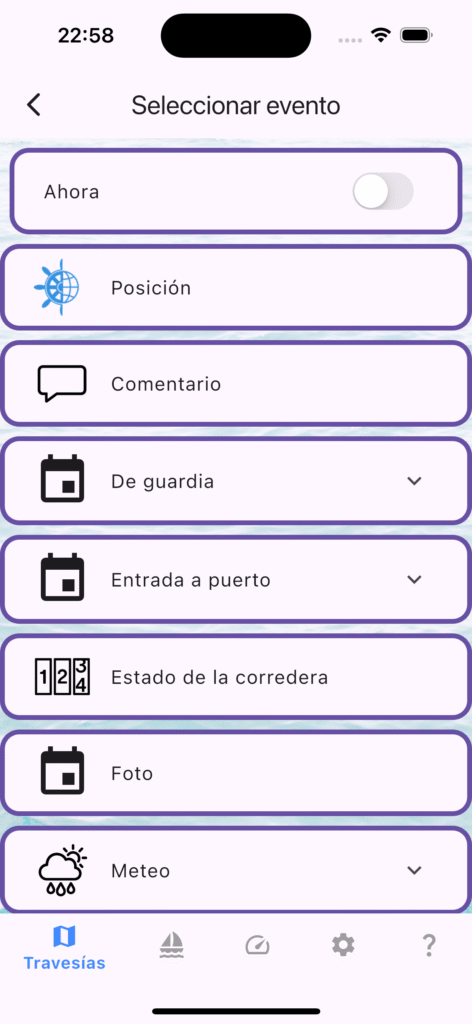
Work on version 1.6.0 is underway, and testers may already be spotting some changes on deck. Here’s what’s been happening in the app lately:
⛵️🧭 More fixes to NMEA event logging. Long story short — every event coming in from NMEA 0183 will now have its position and timestamp filled from NMEA data rather than the phone’s clock.
⏳ Running alongside that, the way trip time and events are stored has had a thorough refit. All events will now store their data in UTC, while ship time (the trip’s time zone, stored in the trip description next to start/end dates) will be used for display. A dedicated event for changing the time zone mid-voyage is coming soon — handy for longer passages. This also affects data export — a UTC column should now be available. One side effect: your older trips won’t have this handled automatically.
New event types: I’ve finally added the ability to define new event types online and roll them out to sailors without needing a full app release (unless a new handling method is required). A small change, but it opens up a lot of flexibility.
Testers — come on aboard! Everyone else — thanks for your patience, we’re nearly there. 🙏
How we fixed GPS timestamp handling, duplicate event prevention, and wind data accuracy.
Accurate GPS data is essential for sailing trip logging. In the latest update to mySailing (v1.6.0+305), we’ve made significant improvements to how the application processes NMEA0183 data from your GPS receiver. These fixes address timing issues, prevent duplicate events, and improve data accuracy—all designed to give you more reliable sailing records.
What Changed?
1. GPS Timestamps Now Drive Event Timing (The Big One)
The Problem:
Previously, mySailing used your device’s internal timer to decide when to record location events. This created a timing mismatch when testing with NMEA data playback—events would fire at the wrong intervals compared to the actual GPS timestamps in your data stream.The Fix:
We now use GPS timestamps directly from the NMEA sentences to determine event intervals. This means location events are recorded based on GPS time, not phone time.
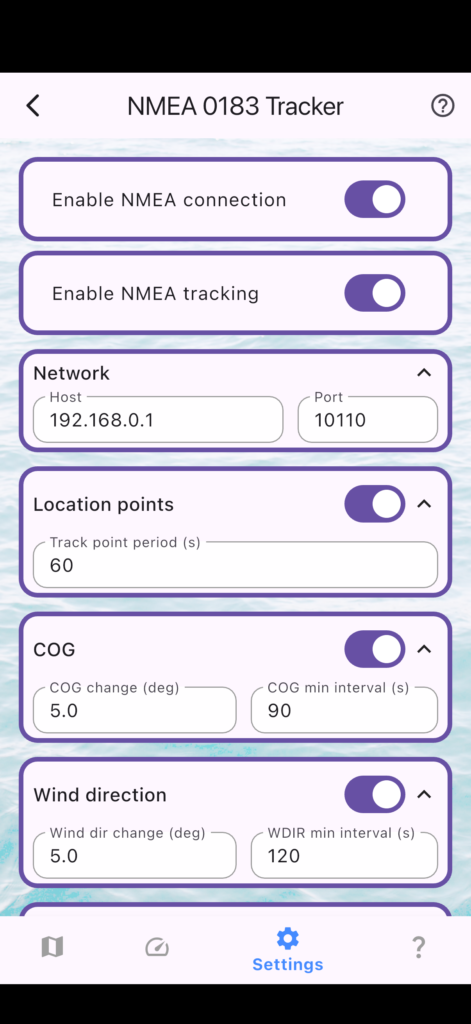
NMEA connection settings in mySailing. The improved timestamp handling works seamlessly in the background.
Why It Matters:
✅ Location events now respect your configured interval (default: 60 seconds) based on actual GPS time
✅ Testing with fast data replay works correctly
✅ Better consistency between your device time and GPS data
Technical Detail: Location events are now emitted using the same NMEA-time-driven logic as all other telemetry events (wind speed, COG, SOG, etc.).
2. Fixed “Stuck” Events on Connection Problems
The Problem:
All telemetry event types (Beaufort, RPM, wind direction, log state, COG, SOG, VAR) had a “busy flag” that could leak under certain conditions. If no active trip was available when an event was about to be recorded, the flag wouldn’t reset, causing events to get stuck and stop being recorded.
The Fix:
We now properly reset the busy flag whenever a trip isn’t available, allowing events to resume normally.
Why It Matters:
✅ Events won’t get stuck after starting without an active trip
✅ More reliable event recording throughout your session
✅ Better behavior during NMEA connection issues
3. True Wind Only—No More Conflicting Wind Data
The Problem:
Your GPS receiver may send two types of wind data:
True Wind (WIMWD) — wind relative to the water/Earth
Relative Wind (WIMWV) — wind relative to your boat’s heading
mySailing was processing both, which could create conflicting wind speed and direction values depending on which sentence arrived last.
The Fix:
We’ve disabled processing of relative wind (WIMWV) sentences. The application now uses only true wind data (WIMWD), which is more useful for sailing analysis and weather logging. But in near future we will allow to register both types of wind values.
Why It Matters:
✅ No more conflicting wind values in your trip log
✅ Clearer wind data for analysis and export
✅ The code for relative wind is preserved, so we can re-enable it in the future if needed
4. Event Throttling Now Works as Intended
The Problem:
The logic that decides whether to record an event had a subtle bug. It wasn’t correctly handling the “either-or” condition: record if either the value changes significantly or enough time has elapsed.
The Fix:
Fixed the throttling logic to properly respect both threshold conditions:
Event recorded if value changes beyond the configured threshold, OR
Event recorded if sufficient time has elapsed since the last event (whichever comes first)
Why It Matters:
✅ Slower events (like wind direction) are still captured at regular intervals
✅ Fast-changing values don’t get over-sampled
✅ Your trip logs have complete event coverage without excessive duplication
Who Benefits From These Fixes?
NMEA Device Users
If you use a marine GPS receiver or NMEA multiplexer connected to your device, these fixes ensure more accurate and reliable event recording. Your sailing logs will have timestamps that align with actual GPS time, not phone time.
Fast Data Replay (Testing & Analysis)
If you use mySailing with test NMEA files for software testing or post-trip analysis, the GPS-timestamp-driven timing now works correctly even during fast replay. Test scenarios that previously failed now pass.
Multi-Sensor Setups
If your boat has multiple sensors (wind, depth, speed, heading) connected via NMEA, this update provides cleaner, more consistent data with fewer conflicts. Wind data is now unified around a single, reliable source.
Quick Comparison: Before & After
Aspect
Before Fix
After Fix
Event Timing
Device timer (phone clock)
GPS timestamp (actual data) ✅
Stuck Events
Possible after connection issues
Cleared automatically ✅
Wind Data
May show conflicting values
Single consistent source (true wind) ✅
Event Throttling
Partial (not both conditions)
Full (either threshold OR time) ✅
Test Replay Accuracy
Incorrect intervals
Correct intervals ✅
How to Update
These improvements are included in mySailing v1.6.0 and later:
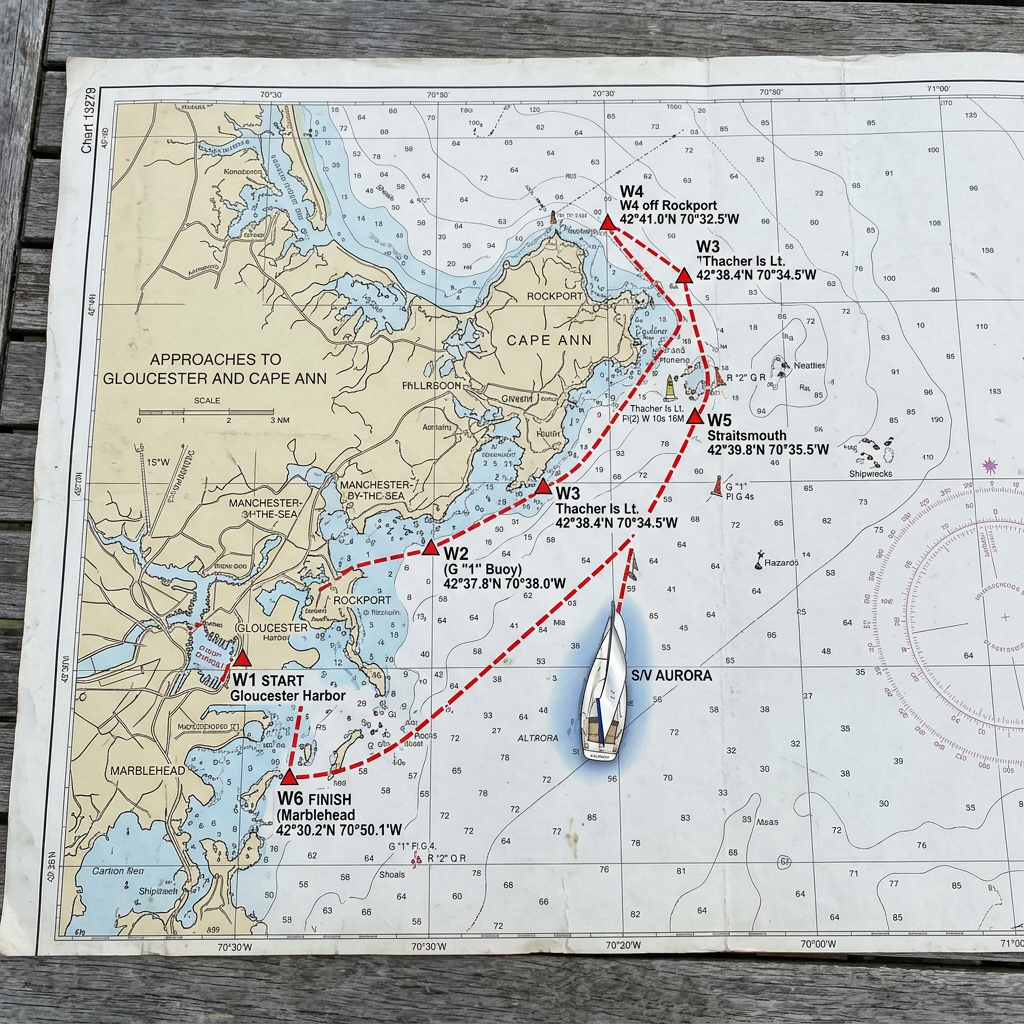
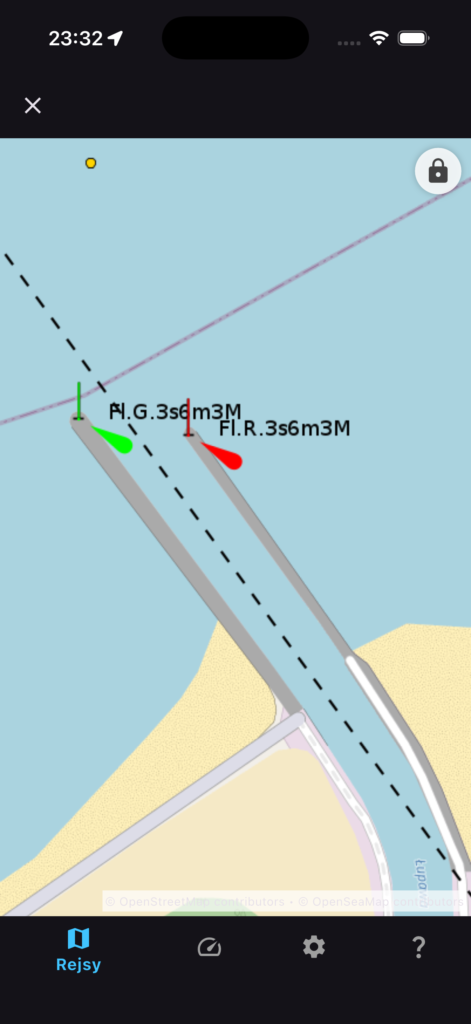
Starting from version 1.5.4 mySailing Trips gets integration with https://www.openseamap.org/ – it will give you better overview in many sailing zones.
We’ve shipped a significant update with new tools to simplify crew management and keep your sailing data safe. Here’s what’s new.
Sailor Profile Portfolio – Save Your Crew Once
The biggest addition in 1.5.0 is the ability to create permanent sailor profiles. Instead of re-entering crew information for every trip, you can now save sailor details once and reuse them across trips
When you add a crew member, you can link them to a saved sailor profile. The app remembers your regular crew and makes suggestions, so onboarding becomes a one-click process.
What you can do:
Create permanent profiles with contact info, certificates, and emergency contacts
Link crew members to profiles for instant setup on future trips
View each sailor’s complete trip history
See which crew members are linked to profiles at a glance
Google Drive Backup & Restore – Your Data, Always Safe
Your crew database is important. Version 1.5.0 adds automatic backup to Google Drive, so your sailor profiles and user data stay protected.
With one tap, you can back up all your data. If you switch devices or need to restore information, it’s just a click away. The app handles version conflicts automatically, and you can restore to any backup point.
Features:
One-tap backup of all sailor profiles
Automatic updates as you add crew details
Encrypted through your Google Drive account
Restore to any point with a single tap
Seamless multi-device sync
QR Codes for Sailor Profiles – Share in Seconds
Need to share a crew member’s information with another skipper? Generate a QR code from any sailor profile. Other users scan it and instantly import the sailor to their app.
This is useful for:
Sharing crew details between skippers
Quick onboarding at sailing clubs
Digital crew exchanges
Archiving crew information
Smart Trip Duration Calculator
When you change a crew member’s joining or leaving date, the app now automatically calculates and suggests the trip duration. No more manual math – just adjust the dates and let the system do the work.
Dark Mode Refinements
We’ve polished dark mode throughout the app. Sailor profile cards, crew information cards, and stat displays now render properly in low-light conditions. Dark mode is now fully consistent across all crew management features.
Managing sailing crews just got easier – here’s what we’re working on
One of the biggest challenges for sailing enthusiasts is keeping track of crew members. You meet talented sailors, sailing friends, and experienced crew members on different trips, but storing and organizing that information? That’s been a manual process for most sailors.
We’re changing that.
The Problem We’re Solving
Imagine this: You’re planning your next sailing trip and want to bring together your favorite crew from previous adventures. But where do you find their contact information? Their experience level? Their certifications? Most sailors end up with scattered notes, phone contacts, or worse – they just can’t remember who sailed with them last year.
Plus, if you’re the captain or trip organizer, you need to quickly assess who brings what skills to the table.
Introducing Sailor Profiles
We’re building a new Sailor Profiles feature that lets you create a personal database of sailors – your own crew network, right in the mySailing app.
What You Can Do
Create Your Sailor Profile
Store your personal sailor information in one place. Your name, contact details, certifications, maritime experience – everything a crew organizer needs to know about you.
Build Your Crew Database
Save profiles of sailors you’ve worked with – crew members, friends, colleagues. Create a quick reference library of people you trust and want to sail with again.
Manage Important Information
Store maritime documents, certification details, professional qualifications, and personal notes. Keep track of who has what certifications and experience levels.
Add Crew in Seconds
When you’re organizing a trip, simply select a saved sailor from your database and add them directly to your crew. No more typing out contact info or trying to remember their experience level.
Offline Access
Your sailor profiles are always available, even when you don’t have an internet connection. Perfect for remote anchorages or areas with spotty connectivity.
Why This Matters
For trip organizers and captains, this feature saves hours of administrative work. For crew members, it’s a way to build your sailing reputation – keep your profile updated with your latest certifications and experience.
But more than that, it’s about community. It’s about maintaining your network of sailing friends and making it easy to get back on the water together.
Still in Development
We’re actively working on this feature and plan to include it in an upcoming release. We’re focusing on making it intuitive, fast, and useful for real-world sailing scenarios.
Have ideas about what should be in a sailor profile? Want to see specific features? We’d love to hear from you – drop a comment or reach out through the app.
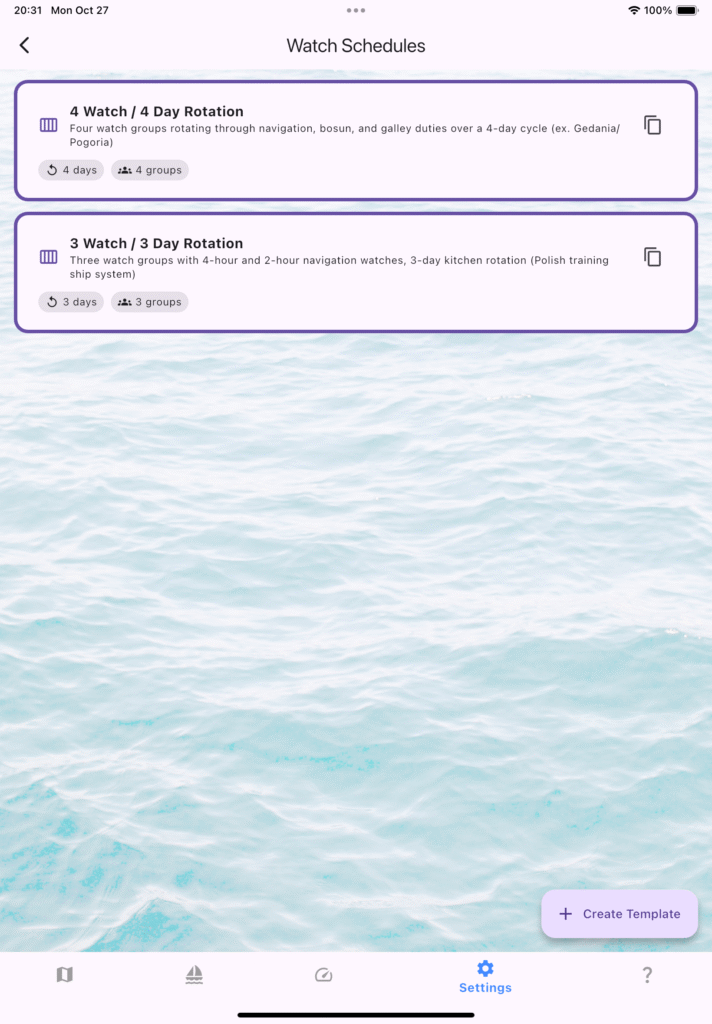
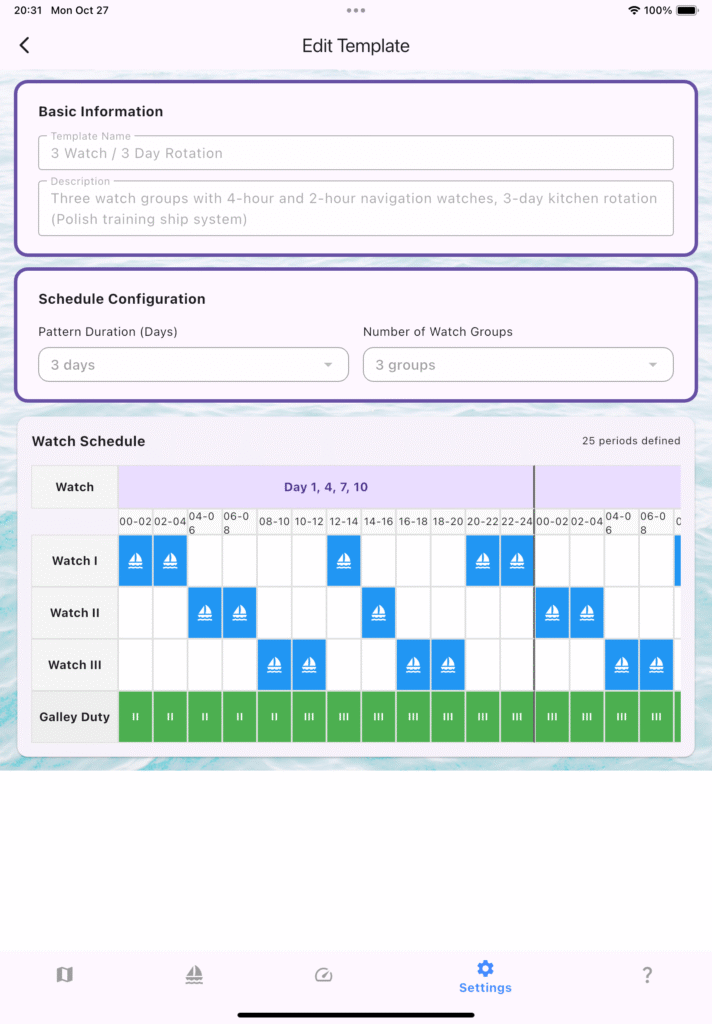
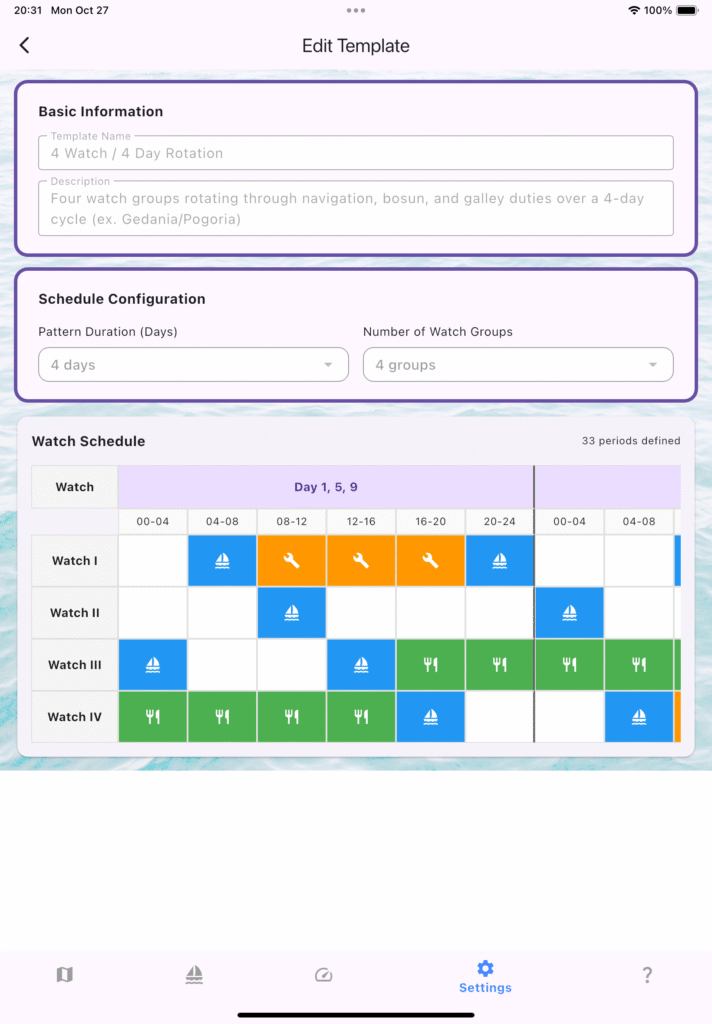
Ongoing work on Watch Planner – on one side grouping crew in Watch, on the other side preparing Watch schedule. Introduced 4/4 and 3/3 setup. At first you can use predefined schedules, editors will come later.
New features comes in English, Polish, Spanish and Catalan.
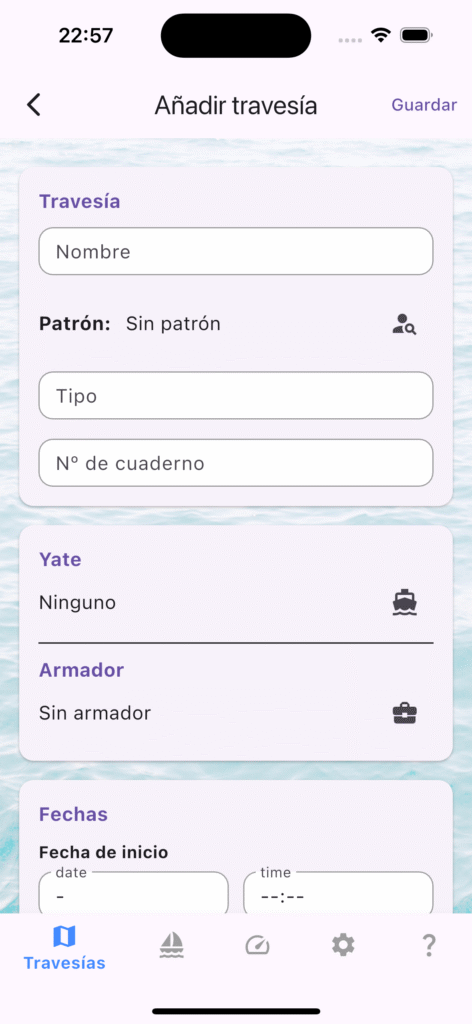
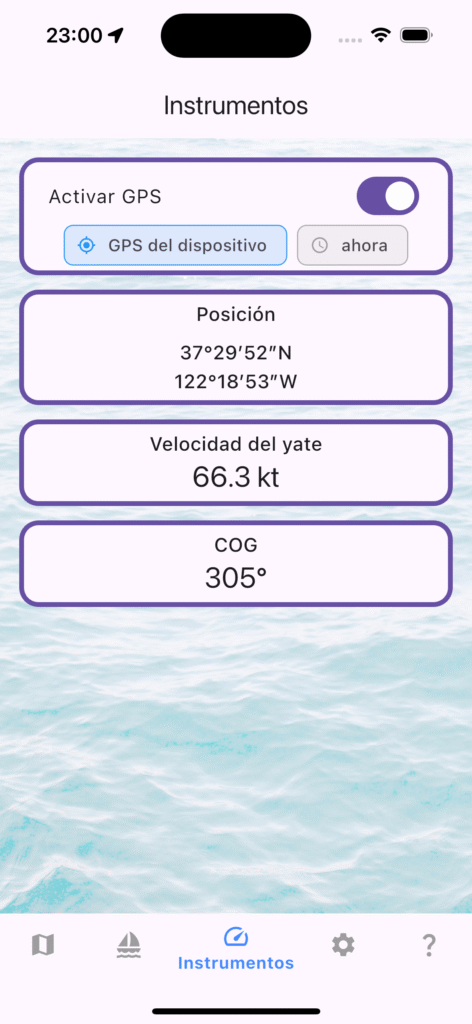
¡Tripulaciones al habla! En mySailing Trips estamos afinando la nueva localización al español y necesitamos navegantes con ganas de probar la app y contarnos qué tal funciona a bordo.
¿Qué puedes hacer con mySailing Trips?
Registrar el cuaderno de bitácora con eventos detallados: maniobras, cambios de guardia, condiciones meteorológicas y más.
Generar rutas y exportaciones GPX para compartir tu travesía con la tripulación o con quienes te esperan en tierra.
Organizar a tu equipo en grupos de guardia, asignar oficiales y mantener todo el plan de cubierta en orden.
Consultar procedimientos de radio (Mayday, Pan-Pan, Securité) listos para usar, con textos que rellenan tus datos automáticamente.
¿Te animas a testear?
Estamos buscando feedback sobre la experiencia en español: textos, terminología náutica, mensajes dentro de la app y cualquier detalle que pueda mejorar. Cuéntanos cómo la usas, qué te resulta útil y qué podríamos pulir.
Cómo participar
Descarga mySailing Trips desde tu tienda habitual o usa el enlace a TestFlight / Google Play Beta.
Configura la app en español (ajustes → idioma).
Utilízala en tu próxima salida y, al regresar, comparte tus impresiones: capturas, omentarios o sugerencias. Tu experiencia real en cubierta nos ayuda a que la app hable el mismo idioma que la tripulación. ¡Gracias por embarcarte con nosotros!
Finally! Share your sailing trips with crew via encrypted files. Works iOS to Android. As easy as sending a photo.
Finally! Share Your Trips with Crew Members
Ever finished a brilliant passage and wished you could share the complete logbook with your crew? Or needed to send your sailing records to the yacht owner? Maybe you just want to back up that once-in-a-lifetime voyage?
Good news, shipmates! mySailing Trips now lets you share complete sailing trips between devices – iPhone to Android, iPad to tablet, or anywhere you need your logbook to go.
How It Works (Dead Simple)
Think of it like sharing a photo, but you’re sharing an entire trip:
On Your Device:
Swipe right on any trip in your logbook
Tap the purple “Share” button
Choose what to include (we’ll get to that in a sec)
Set a 4-digit PIN – like your credit card
Share it via WhatsApp, email, AirDrop – whatever you normally use
Your Crew Receives:
They get a file called something like Atlantic_Crossing_Blue_Moon_2024-06-15.msts (yes, it includes the boat name and date – pretty handy when you’re organizing files).
They tap it, enter your PIN, and boom – they’ve got the whole trip in their logbook. Takes about 30 seconds.
What Can You Share?
Here’s where it gets interesting. You’re not stuck sharing everything – pick and choose:
Trip sharing options screen showing events, crew, and photos selections
The Basics:
Trip dates and ports
Total miles and engine hours
Weather notes
All your logged events
Your Crew:
Who was aboard
Everyone’s duty hours (handy for professional crew)
Watch schedules
The Boat:
Yacht details and registration
Owner information (useful for charter companies)
The Good Stuff:
All your photos from the trip
GPS positions
Those brilliant sunset shots
Select what matters for that particular share. Sending to the owner? Include everything. Just sharing the route with a mate? Maybe skip the crew details.
Why Skippers Love This
“Sent the trip to all five crew after our Channel crossing. Everyone has the logbook now – no more ‘what was that anchorage called?'” – James, Hallberg-Rassy 42
For Professional Crew:
Charter captains and sailing schools, this one’s for you. Share trip templates with incoming skippers. Export completed passages for the management office. Keep records organized without paperwork.
For Cruising Couples:
Both of you keep the logbook synced. You log on your iPhone, partner imports on their Android tablet. No more “whose phone has the latest entry?”
For Rally Participants:
Share your route with fellow rally boats. Compare passages. Swap GPX tracks for next season’s planning.
About That Security Thing
Now, I know what you’re thinking – “Is my data floating around on some server?”
Nope. Here’s the deal:
The file is encrypted – properly encrypted, not just password-protected. Think of it like those diplomatic briefcases in spy movies. Without your PIN, it’s just gibberish.
No internet needed. No cloud uploads. It’s peer-to-peer, skipper to skipper. You create the file on your phone, send it however you want, and the recipient opens it with your PIN.
We use the same encryption banks use (AES-256, if you’re curious). Your PIN gets run through something called PBKDF2 – basically means even if someone intercepts the file, they’d need about 10,000 years of computer time to crack it.
But here’s the important bit: Send your PIN separately from the file. Share the file via email, send the PIN via text. Or tell them in person at the marina bar.
Works Everywhere
iPhone to iPhone? Sure – use AirDrop. iPhone to Android? Email works great. Android to your iPad? WhatsApp, Telegram, whatever you’ve got.
When someone receives your file, their phone knows what to do with it. Tap the file, mySailing opens automatically, shows a preview, asks for the PIN, done.
Tested it with:
Gmail attachments (works)
WhatsApp file sharing (works)
Telegram (works)
AirDrop between iPhones (works beautifully)
Saving to Google Drive then sharing the link (yep, works too)
GPX Tracks Too
For the chartplotters and navigation geeks:
You can also export your track as a standard GPX file. That’s the universal format that works with:
Navionics
OpenCPN
Garmin BaseCamp
Google Earth
Pretty much any nav software
Want to analyze your route in detail? Export the GPX. Want to share with someone who doesn’t use mySailing? GPX works anywhere.
The GPX includes your full track with timestamps, waypoints, and speed data. Load it into your chartplotter for next season’s planning.
Smart About Filenames
Remember that filename I mentioned? Atlantic_Crossing_Blue_Moon_2024-06-15.msts
It automatically includes:
Your trip name
The boat name (if you’ve entered one)
The start date
No more trip_export_final_v3_ACTUALLY_FINAL.msts nonsense. When you’ve got 20 trips shared in your Downloads folder, you’ll appreciate this.
Real-World Uses We’ve Seen
Delivery Skippers:
“I deliver yachts for a living. Now I send the owner a complete record when I hand over the keys – every hour logged, fuel consumed, everything. Professional and easy.”
Sailing Schools:
“Our instructors share the day’s sailing with students. They can review their maneuvers, see the track we sailed, remember what we covered. Better than any debrief notes.”
Cruising Communities:
“Our ARC group shares routes between boats. Someone finds a great anchorage? They share the trip. We’ve all got it logged.”
Personal Archive:
“I export every trip and save to Google Drive. It’s my backup. If I drop my phone overboard (again), I’ve got everything.”
The Import Part
When your crew gets your trip file, here’s what they see:
Preview Screen:
Shows them what’s in the file before importing:
Trip name and dates
Number of events and photos
Crew count
Whether yacht details are included
They can see exactly what they’re getting. No surprises.
Enter PIN:
They type your 4-digit code (or longer password if you’re security-conscious).
Import:
Tap the button. Done.
The app’s smart about it – if they already have some of that crew or yacht information, it doesn’t create duplicates. It just adds the new trip and updates any relevant details.
Tips from the Helm
Tip #1: Share immediately Right after docking, share the trip while everyone’s still aboard. They’ll have it before they reach the car park.
Tip #2: Different shares for different folks Owner gets everything. Crew get the trip minus owner details. Rally friend gets just the route and GPX. You choose each time.
Tip #3: Name your trips well Descriptive trip names make better filenames. “Summer Cruise” becomes Summer_Cruise_2024-07-20.msts. “Falmouth to Cherbourg” becomes Falmouth_to_Cherbourg_2024-07-20.msts. See the difference?
Tip #4: Test it first Share a trip to yourself. Send it to your own email, open it on the same device or another one you own. See how it works. Then you’ll be confident when sharing with crew.
Tip #5: PIN security matters Use at least 4 digits, better yet 6. Don’t use 1234 or your birth year. But also don’t make it so complex you forget it – you can’t recover the file without the PIN.
What’s Next?
We’re watching how you use this feature. Some ideas we’re considering:
Share multiple trips at once
Share trip templates (empty trip with just the yacht and standard crew)
Direct boat-to-boat transfer via Bluetooth
QR code sharing (scan to download)
Let us know what would help you most. We built this feature because skippers asked for it. Keep the feedback coming.
Get Started
The trip sharing feature is in the latest version of mySailing Trips (v1.3.3+).
Already installed? Update via the App Store or Google Play. New skipper? Download mySailing Trips – it’s free to try.
Open your logbook, swipe on a trip, and you’ll see that purple Share button waiting.
Fair Winds
This feature’s been in testing for months. We’ve shared trips across oceans (literally – our test crew includes skippers in the Caribbean, Mediterranean, and Pacific).
It works. It’s secure. It’s simple enough to use while the boat’s still rocking at anchor.
So next time your crew asks “can you send me the logbook?”, you can say “check your WhatsApp.”
Got questions about trip sharing? Drop them in the comments or hit us up on the contact page. Always happy to help a fellow sailor.
Ok, on Play Google and AppStore you can see version 1.3.1 which addresses some internal issues mainly related to privileges. So not much new features yet, however work I am working on new things all the time