What’s New in mySailing 1.7.0–1.7.2: Instruments, Performance, and Polish

The last six weeks have been some of the most intense development in mySailing’s history. Three minor releases — 1.7.0, 1.7.1, and 1.7.2 — delivered a live NMEA instrument panel, a complete backup system, massive performance improvements for large trip logs, and the first glimpse of AIS vessel tracking. Here’s everything that changed.


Live Instruments Dashboard

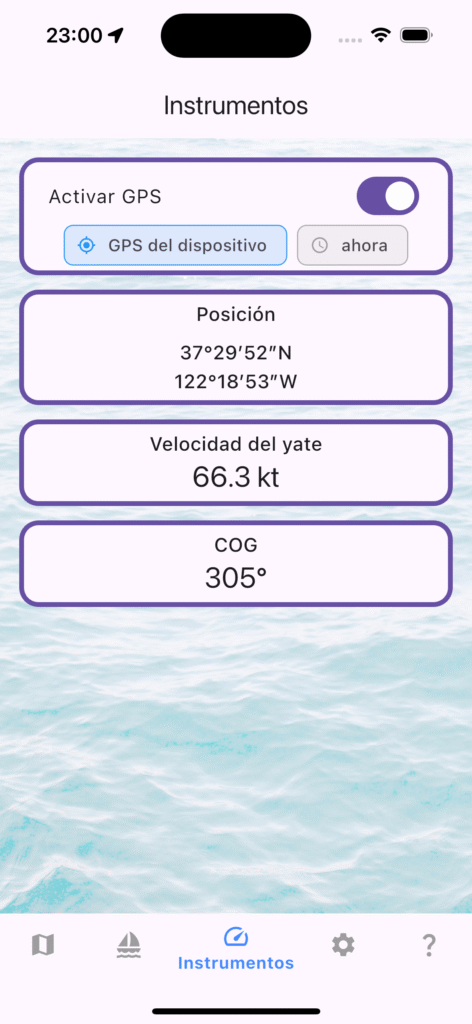
The headline feature of 1.7.0. The new Instruments view turns your phone or tablet into a live instrument panel fed by your boat’s NMEA 0183 network over WiFi. Wind speed and direction (true and apparent), SOG, COG, depth, engine RPM, log distance, and GPS position all update in real time — with large, glanceable gauges designed for cockpit readability.

GPS data is treated as a distinct stream from NMEA, so you can run instruments from your NMEA network while using the phone’s GPS for position, or disable GPS entirely with the new “Off” location source option (1.7.2) to save battery on long passages when an external GPS is available.

Pro tip: Tap any instrument gauge for a detailed time-series chart of that sensor’s data over the last hour.


Backup & Restore (.msbak)

With 1.7.0, you can now export your entire app configuration — sailors, yachts, shipowners, templates, and settings — as a single .msbak file. Restore it on a new device, after a reinstall, or share it with your fleet manager. Trip data continues to use the .msts format for individual trip sharing.
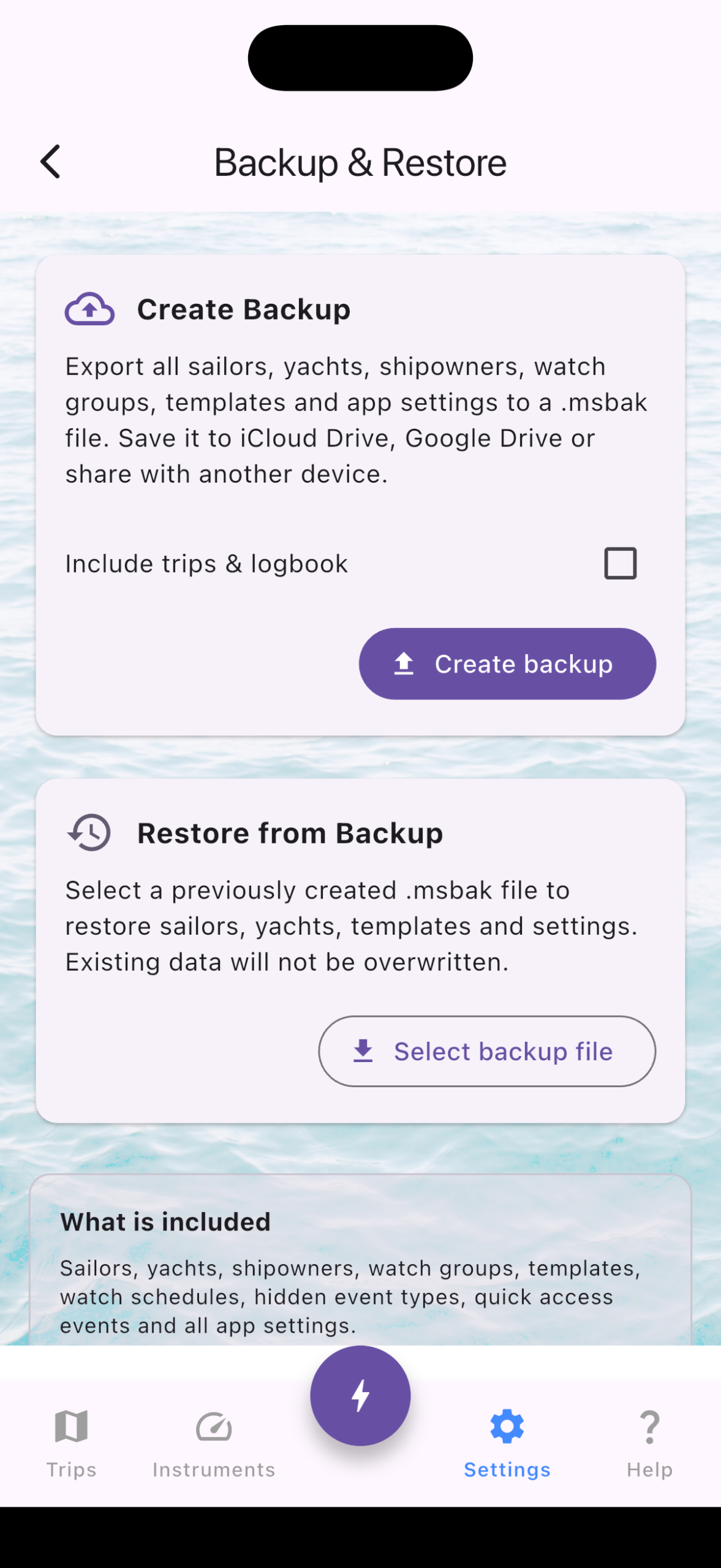
Backup/Restore

Performance: 50,000 Events? No Problem

If you record NMEA data continuously on a long passage, your trip log can easily reach tens of thousands of events. Versions before 1.7.1 struggled — the event list would slow down, and opening the map view could freeze the app entirely.

We rewrote the data layer from the ground up:

  • Typed location columns (latitude/longitude on the events table) eliminated repeated JSON parsing across 12 different code paths. The map view, GPX export, CSV export, and trip sharing all got faster.
  • Epoch-based timestamps replaced ISO 8601 text storage — integer comparisons are ~10× faster, and a new database index ensures every query hits the right rows immediately.
  • Zoom-aware marker rendering caps map markers at 50–2000 depending on zoom level, while the full-route polyline remains visible at any scale. Zoom into a harbor and you’ll see dense markers only where they matter; zoom out to the world view and the map stays responsive.

The result: a trip with 50,000 location events opens instantly on the map and scrolls smoothly in the list — even on a three-year-old phone.


AIS Vessel Tracking (Early Access)

AIS targets received over NMEA are now plotted on the instruments map and the full-screen events map. Vessel markers show position and heading in real time, giving you a clear picture of traffic around you. This is an early implementation — more AIS features are coming in 1.8.
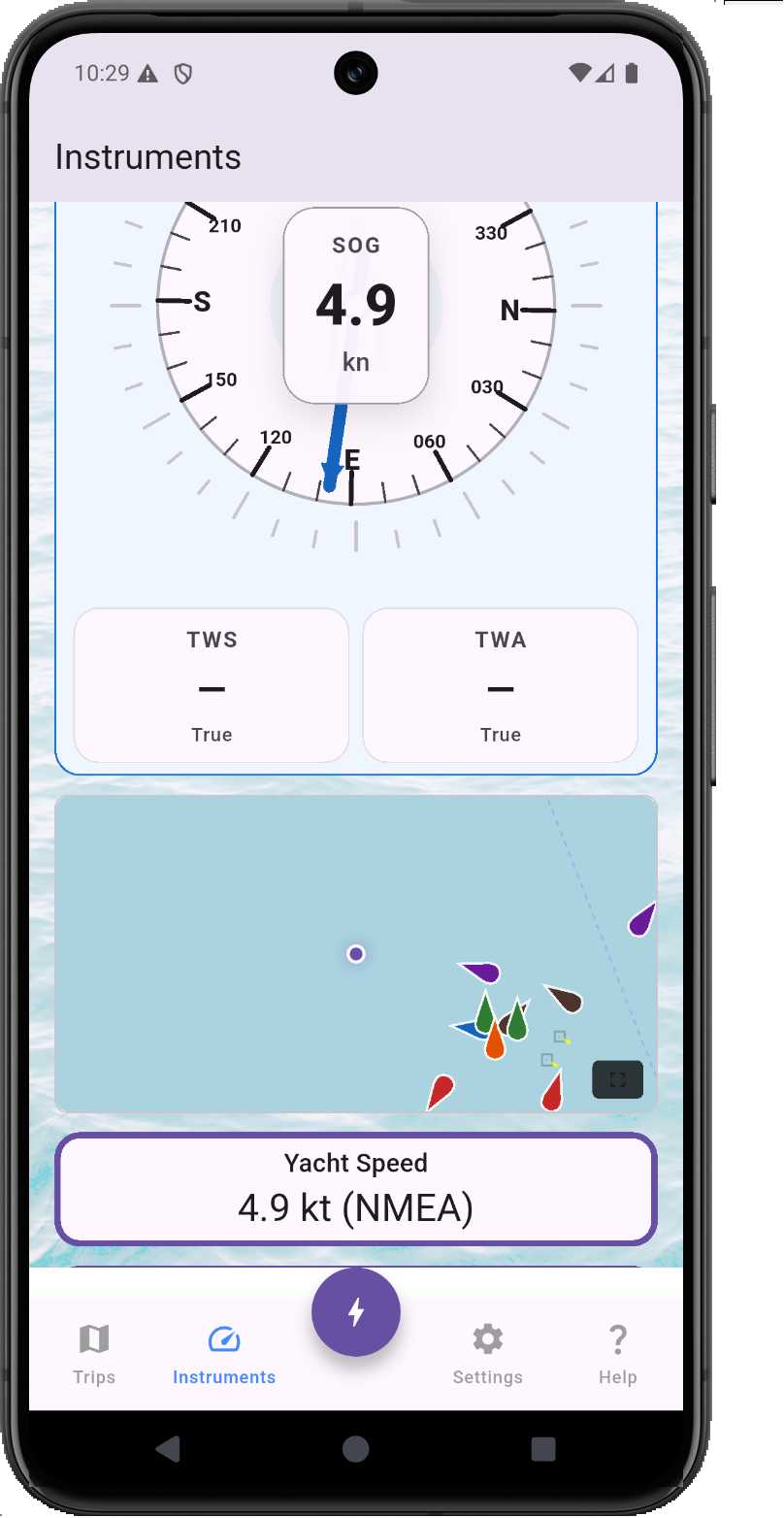
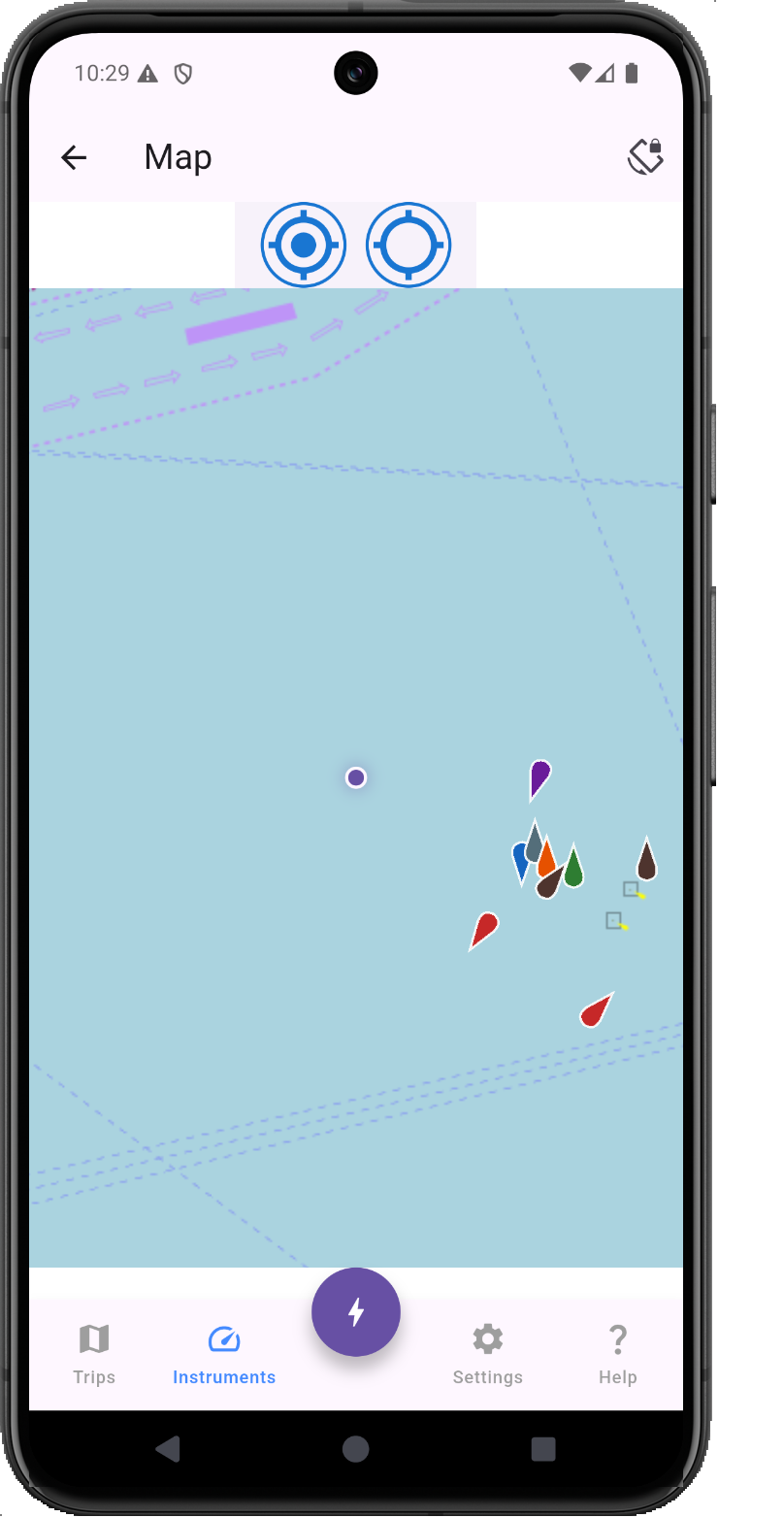
AIS view on Instruments AIS view on map


Online Sailor Profiles (Beta)

1.7.1 introduced the first version of online personal sailor profiles. Your profile card now displays total nautical miles and engine hours sailed across all trips. A new QR code button lets you share your profile with other skippers. Available for testing — opt in from the Sailors tab.


Quality of Life Improvements

  • Android file open fix: Opening .msts files directly from a file manager no longer shows a black screen (1.7.2).
  • Flexible file imports: Trip files with unexpected extensions (e.g., renamed or downloaded without .msts) can now be opened after a confirmation prompt (1.7.2).
  • Startup speed: Application launch time improved significantly in 1.7.2.
  • Background NMEA: NMEA processing in the background is now more reliable, with proper notification permissions on Android.

Full Changelog

1.7.2 (July 2026)

  • Improved location data storage for faster map rendering and exports
  • Improved date/time storage in events
  • Instruments: “Off” option for location source (battery saving)
  • AIS vessel markers on instruments and full-screen map
  • Trip files with unexpected extensions now openable
  • Fixed black screen when opening trip files on Android
  • Background NMEA processing improvements
  • Faster application startup

1.7.1 (June–July 2026)

  • Sailor profile card shows total miles and hours sailed
  • QR code button for sharing sailor profiles
  • Online personal sailor profiles (beta)
  • Removed event import limit — import trips of any size
  • Fixed event list performance with large trip logs

1.7.0 (June 2026)

  • New: Live NMEA/GPS Instruments view
  • New: Backup and restore (.msbak) for sailors, yachts, shipowners, templates, and settings
  • Fixed GPS running when NMEA was disconnected but instruments were on
  • Fixed AWA/TWA angle display in tracking events
  • Improved trip import action clarity

mySailing is available now on the App Store and Google Play.

If you’re testing new features like AIS or online profiles, we’d love your feedback — reach out at mysailing.app or join the conversation on Facebook.

Quick Events Dashboard in 1.5.1

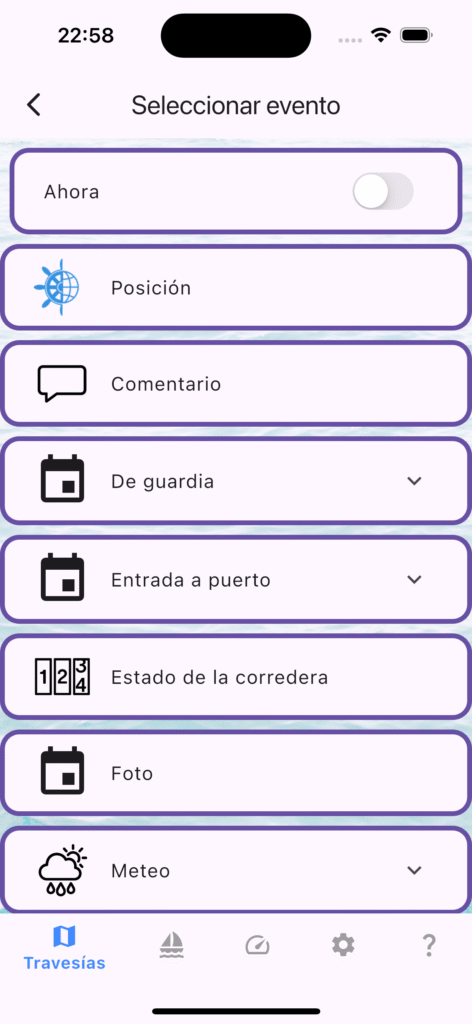
Small but expected update by some users. Finally you can mark some events in Events Types tree as favorite for quick access.

Then using dashboard button on Trips List view you can quickly add events to Current Trip.

In this version also you can double tap icon on bottom table bar to return to previous view in this tab. And fixes of course 🙂

mySailing Trips 1.5.0 Released

We’ve shipped a significant update with new tools to simplify crew management and keep your sailing data safe. Here’s what’s new.

Sailor Profile Portfolio – Save Your Crew Once

The biggest addition in 1.5.0 is the ability to create permanent sailor profiles. Instead of re-entering crew information for every trip, you can now save sailor details once and reuse them across trips

When you add a crew member, you can link them to a saved sailor profile. The app remembers your regular crew and makes suggestions, so onboarding becomes a one-click process.

What you can do:

  • Create permanent profiles with contact info, certificates, and emergency contacts
  • Link crew members to profiles for instant setup on future trips
  • View each sailor’s complete trip history
  • See which crew members are linked to profiles at a glance

Google Drive Backup & Restore – Your Data, Always Safe

Your crew database is important. Version 1.5.0 adds automatic backup to Google Drive, so your sailor profiles and user data stay protected.

With one tap, you can back up all your data. If you switch devices or need to restore information, it’s just a click away. The app handles version conflicts automatically, and you can restore to any backup point.

Features:

  • One-tap backup of all sailor profiles
  • Automatic updates as you add crew details
  • Encrypted through your Google Drive account
  • Restore to any point with a single tap
  • Seamless multi-device sync

QR Codes for Sailor Profiles – Share in Seconds

Need to share a crew member’s information with another skipper? Generate a QR code from any sailor profile. Other users scan it and instantly import the sailor to their app.

This is useful for:

  • Sharing crew details between skippers
  • Quick onboarding at sailing clubs
  • Digital crew exchanges
  • Archiving crew information

Smart Trip Duration Calculator

When you change a crew member’s joining or leaving date, the app now automatically calculates and suggests the trip duration. No more manual math – just adjust the dates and let the system do the work.

Dark Mode Refinements

We’ve polished dark mode throughout the app. Sailor profile cards, crew information cards, and stat displays now render properly in low-light conditions. Dark mode is now fully consistent across all crew management features.


Update Now

mySailing Trips 1.5.0 is available on:


Have feedback or suggestions? We’d like to hear from you. Rate us on the app stores or reach out directly.

Happy sailing!

Building Your Crew Network: Introducing Sailor Profiles in mySailing

Managing sailing crews just got easier – here’s what we’re working on

One of the biggest challenges for sailing enthusiasts is keeping track of crew members. You meet talented sailors, sailing friends, and experienced crew members on different trips, but storing and organizing that information? That’s been a manual process for most sailors.

We’re changing that.

The Problem We’re Solving

Imagine this: You’re planning your next sailing trip and want to bring together your favorite crew from previous adventures. But where do you find their contact information? Their experience level? Their certifications? Most sailors end up with scattered notes, phone contacts, or worse – they just can’t remember who sailed with them last year.

Plus, if you’re the captain or trip organizer, you need to quickly assess who brings what skills to the table.

Introducing Sailor Profiles

We’re building a new Sailor Profiles feature that lets you create a personal database of sailors – your own crew network, right in the mySailing app.

What You Can Do

Create Your Sailor Profile

Store your personal sailor information in one place. Your name, contact details, certifications, maritime experience – everything a crew organizer needs to know about you.

Build Your Crew Database

Save profiles of sailors you’ve worked with – crew members, friends, colleagues. Create a quick reference library of people you trust and want to sail with again.

Manage Important Information

Store maritime documents, certification details, professional qualifications, and personal notes. Keep track of who has what certifications and experience levels.

Add Crew in Seconds

When you’re organizing a trip, simply select a saved sailor from your database and add them directly to your crew. No more typing out contact info or trying to remember their experience level.

Offline Access

Your sailor profiles are always available, even when you don’t have an internet connection. Perfect for remote anchorages or areas with spotty connectivity.

Why This Matters

For trip organizers and captains, this feature saves hours of administrative work. For crew members, it’s a way to build your sailing reputation – keep your profile updated with your latest certifications and experience.

But more than that, it’s about community. It’s about maintaining your network of sailing friends and making it easy to get back on the water together.

Still in Development

We’re actively working on this feature and plan to include it in an upcoming release. We’re focusing on making it intuitive, fast, and useful for real-world sailing scenarios.

Have ideas about what should be in a sailor profile? Want to see specific features? We’d love to hear from you – drop a comment or reach out through the app.

Fair winds! ⛵

Watch planner in testing

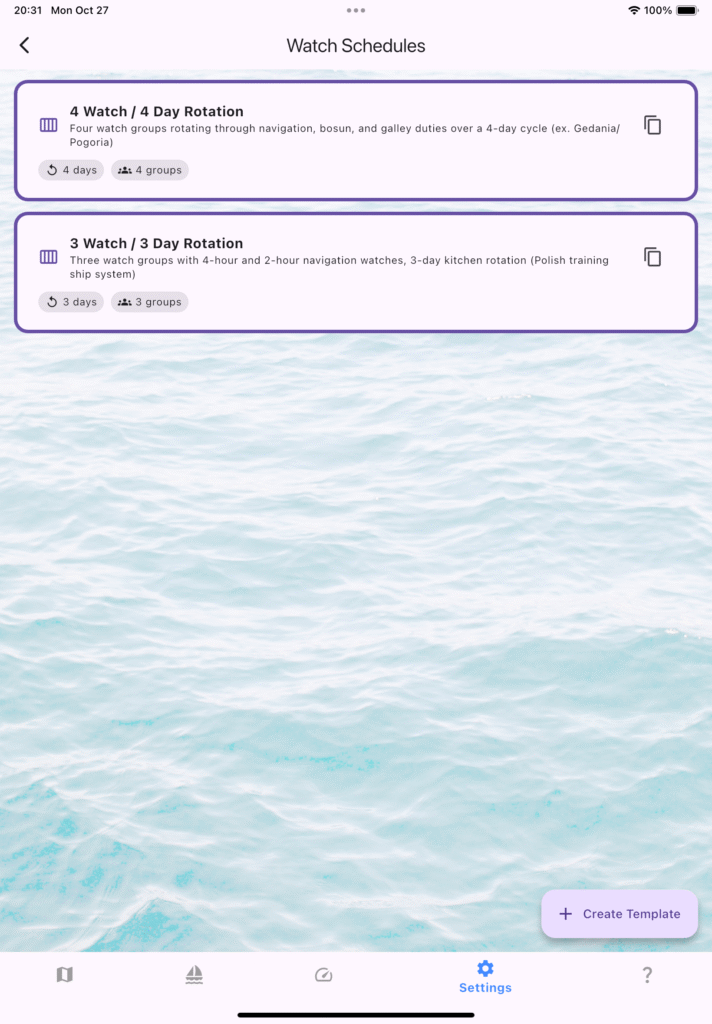
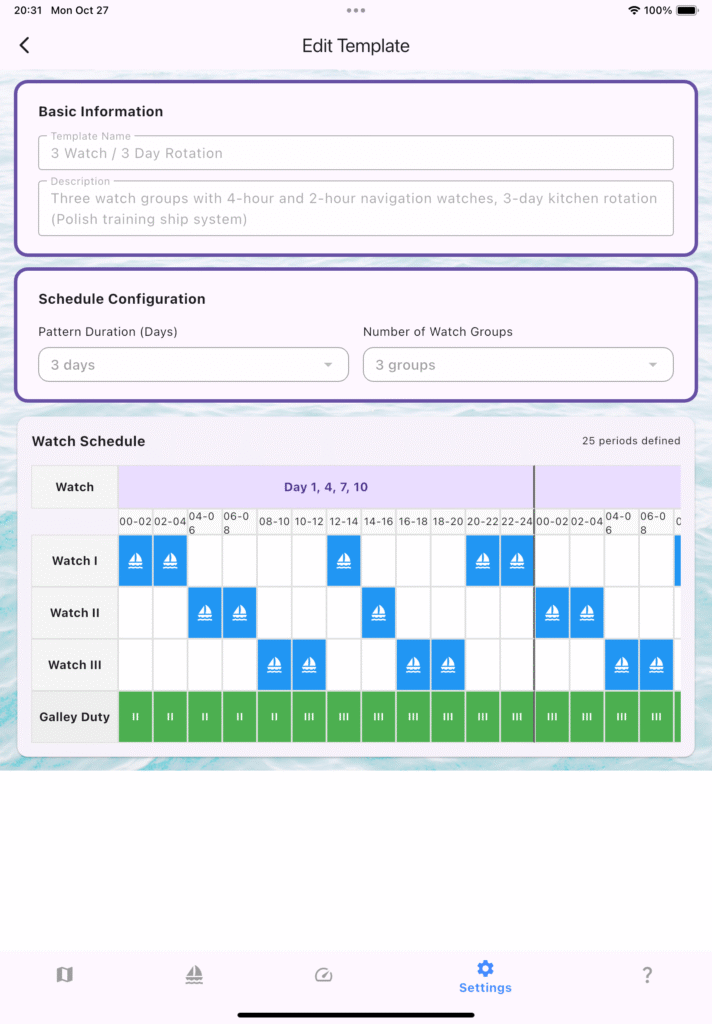
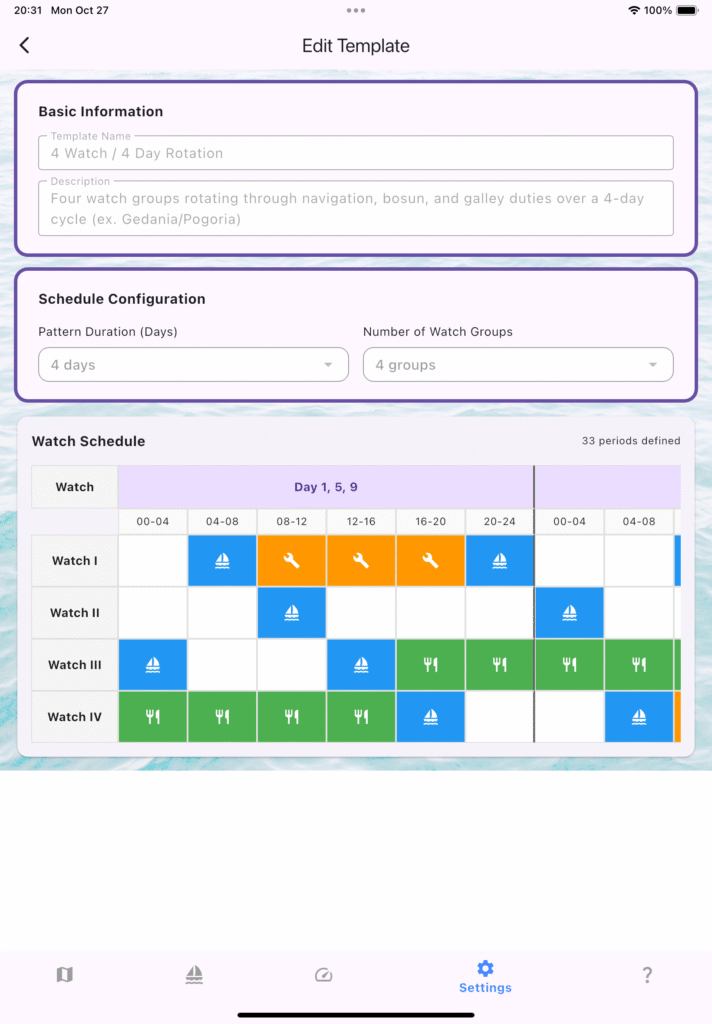
Ongoing work on Watch Planner – on one side grouping crew in Watch, on the other side preparing Watch schedule. Introduced 4/4 and 3/3 setup. At first you can use predefined schedules, editors will come later.

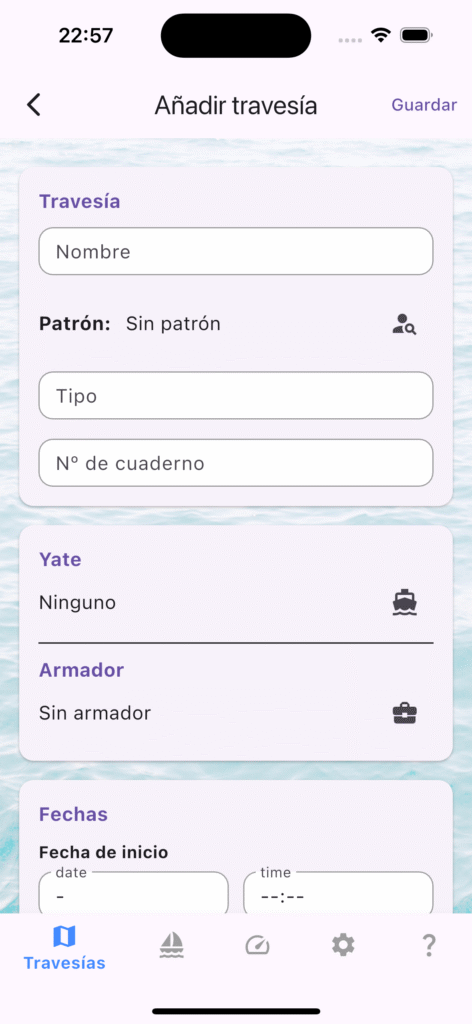
New features comes in English, Polish, Spanish and Catalan.

As usual testers needed

Buscamos testers para mySailing Trips en español

¡Tripulaciones al habla! En mySailing Trips estamos afinando la nueva localización al español y necesitamos navegantes con ganas de probar la app y contarnos qué tal funciona a bordo.

¿Qué puedes hacer con mySailing Trips?

  • Registrar el cuaderno de bitácora con eventos detallados: maniobras, cambios de guardia, condiciones meteorológicas y más.
  • Generar rutas y exportaciones GPX para compartir tu travesía con la tripulación o con quienes te esperan en tierra.
  • Organizar a tu equipo en grupos de guardia, asignar oficiales y mantener todo el plan de cubierta en orden.
  • Consultar procedimientos de radio (Mayday, Pan-Pan, Securité) listos para usar, con textos que rellenan tus datos automáticamente.

¿Te animas a testear?

Estamos buscando feedback sobre la experiencia en español: textos, terminología náutica, mensajes dentro de la app y cualquier detalle que pueda mejorar. Cuéntanos cómo la usas, qué te resulta útil y qué podríamos pulir.

Cómo participar

  1. Descarga mySailing Trips desde tu tienda habitual o usa el enlace a TestFlight / Google Play Beta.
  2. Configura la app en español (ajustes → idioma).
  3. Utilízala en tu próxima salida y, al regresar, comparte tus impresiones: capturas, omentarios
    o sugerencias. Tu experiencia real en cubierta nos ayuda a que la app hable el mismo idioma que la tripulación.
    ¡Gracias por embarcarte con nosotros!

Weekly Logbook — Shipowner Roster Secured

What’s New:

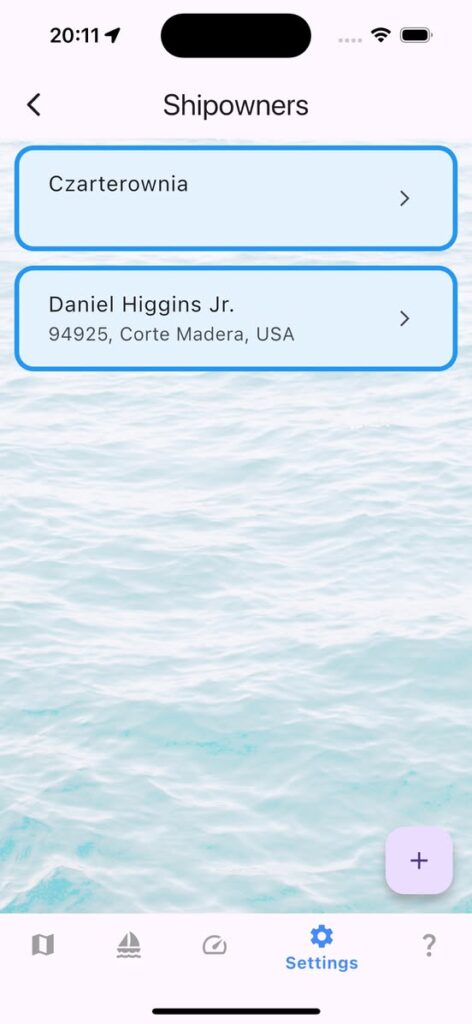
  • Shipowner directory with full contact fields.
  • One-tap import from your address book to speed up data entry.
  • Crew toolbar refinements for smoother watch changes.

Why it matters: Keeping owner data alongside crew, vessel, and log entries closes one more loop in the voyage record. That means fewer loose notes and a tighter logbook when you hand over command or file reports.

Polish Note for Sailors: 🇵🇱 Armatorzy: Nowy rejestr i import danych to solidny krok milowy przed premierą Karty Rejsu — planujemy, by łączyła armatora, jacht i trasę w spójnej dokumentacji każdego rejsu.🇵🇱

Call to Action: Update the app, try importing your favorite owners, and let us know how the roster handles under way. As always, fair winds and following seas!

mySailing Trips 1.2.1 went live

In case you missed it – 1.2.1 is live

Version 1.2.1 is out and still warm. Go and get mySailing Trips with some nice updates for Android and iPhone:

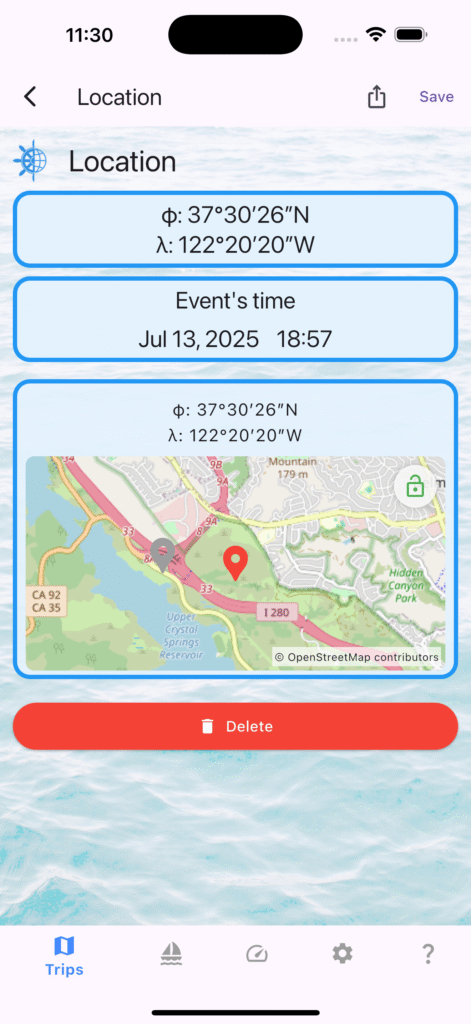
  • Edit location of the event by tapping lock on the map and tapping new pin.
  • Add Crew Members from your phone Contacts
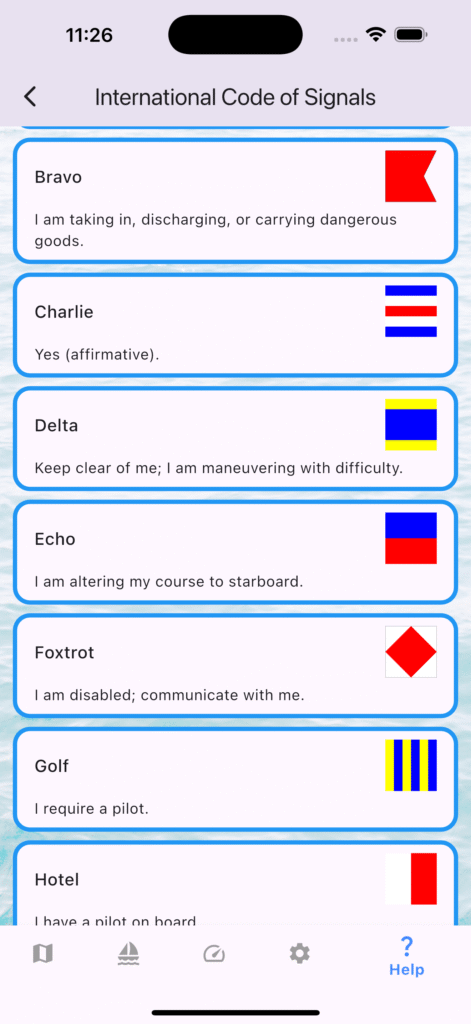
  • New Help tab with International Code of Signals.
  • Faster ICS search + filters; digit flags show “n Word”.
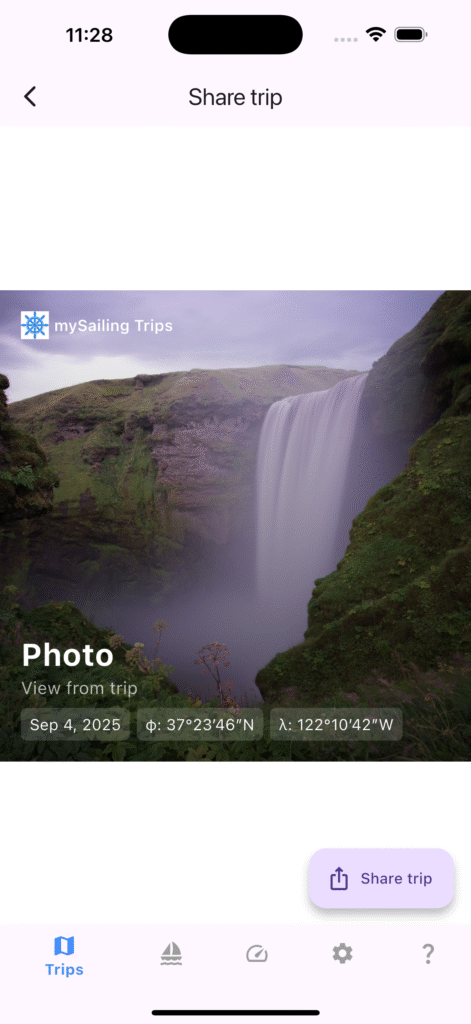
  • Trip share defaults to Circle template with Start/End ports.
  • Improved analytics and translations.
  • Local map caching enable
  • Automatically zooming map with events for better presentation

Crew from Contacts — Faster Crew Management (Beta 1.2.1)

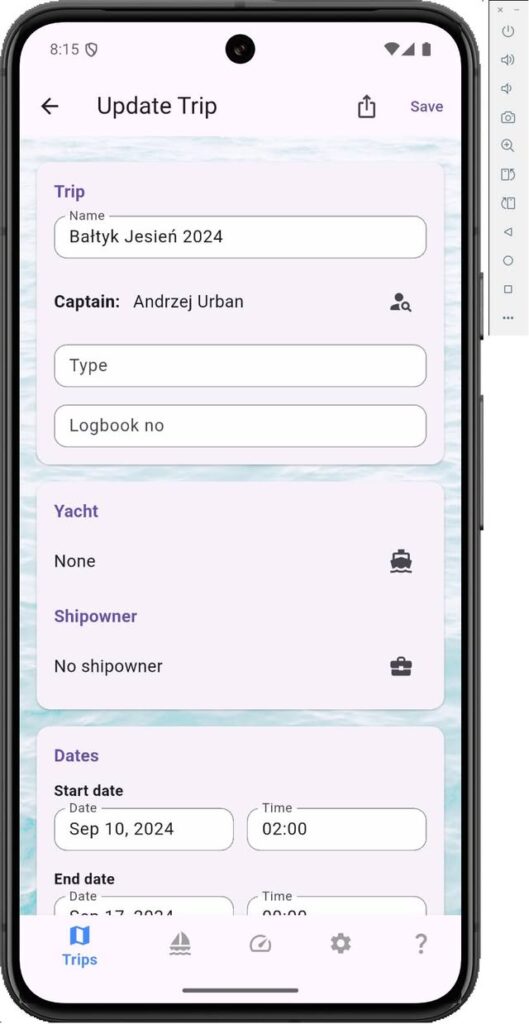
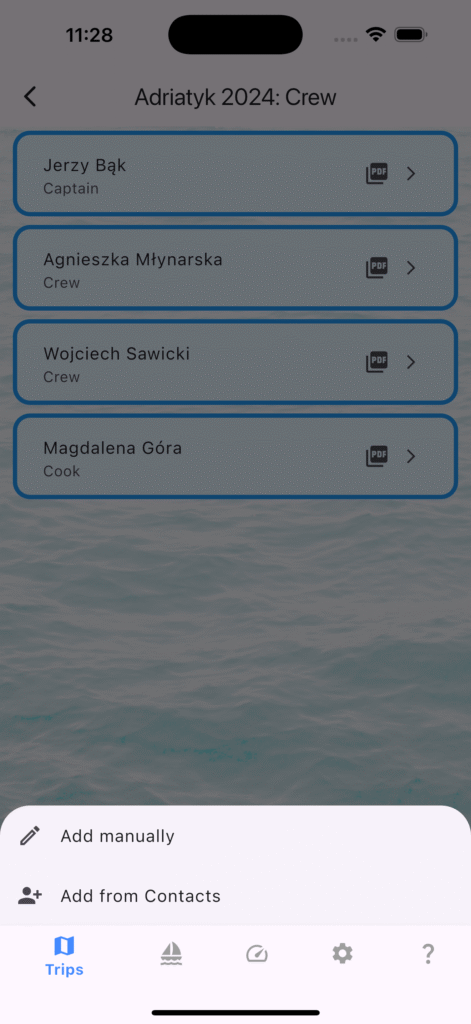
Managing crew should be simple. In beta 1.2.1 (121), mySailing Trips lets you add crew directly from your phone’s Contacts. It’s fast, private, and optional.

How It Works:

  • Open a trip → Crew.
  • Tap + → Add from Contacts.
  • Pick a contact; the name is prefilled in the form; choose a role, save.

Permissions

  • iOS/Android ask for Contacts permission the first time you use this feature.
  • You can deny or change this anytime in system Settings.

Privacy

  • We only use the name you pick to fill the crew form. No contacts are uploaded or stored outside your device unless you choose to sync/backup (no feature yet).
  • You can edit or remove crew entries at any time.

Tips:

  • Use “Add manually” for skippers not in your Contacts.
  • Roles can be set or changed later (Captain, Crew, etc.).

Troubleshooting:

  • I don’t see Contacts”: Ensure Contacts permission is granted in Settings.
  • “Wrong name format”: Pick another entry for the same person or edit after prefill.